Shared folders
Most applications packaged by Cappysan use a shared folder named Configuration to store their settings. This folder contains one directory per Cappysan-packaged application, each of which holds configuration text files that can be edited using a standard text editor.
This approach enables easy backup of configuration, cache, state and log files. It also enables configuration options that would require a complex user interface.
Creation
To configure this shared folder, it must either be created in advance or generated by installing and configuring any Cappysan application.
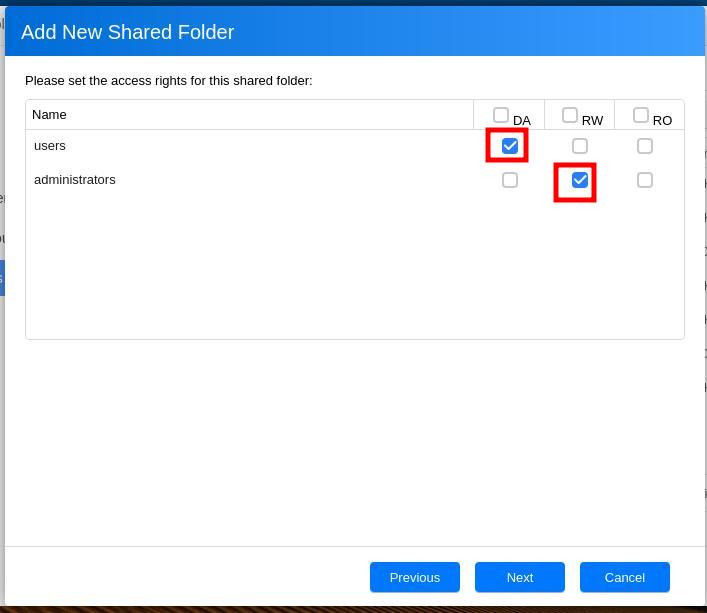
The shared folder should be configured so that only administrators and yourself are permitted to modify application settings. Optionally, it can also be configured to allow remote access and modification via a mounted network share.
Follow the following instructions to create the folder.
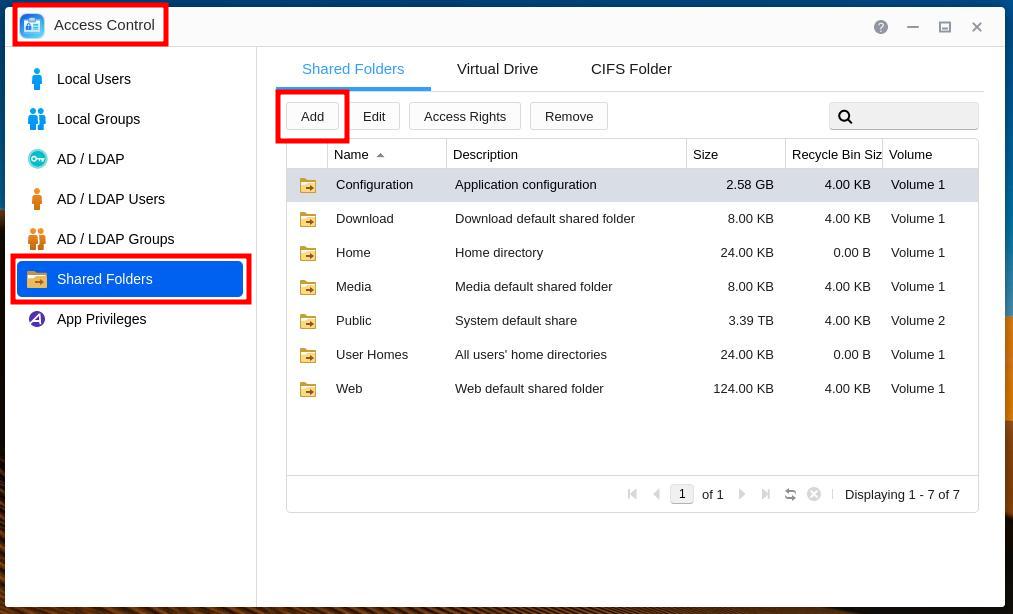
On you NAS administration user interface, open the Access Control interface, then select the Shared Folders, then click on Add:
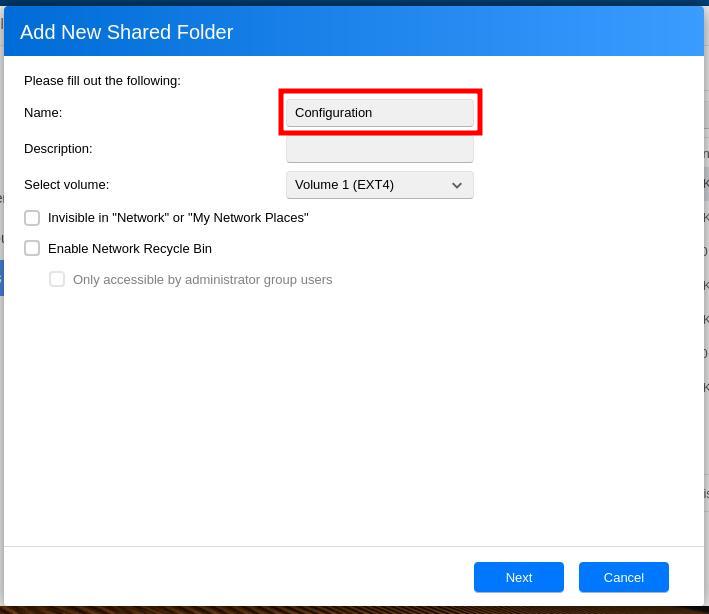
Set the name to “Configuration”, unselect all checkboxes, and change the volume if needed, then click Next:
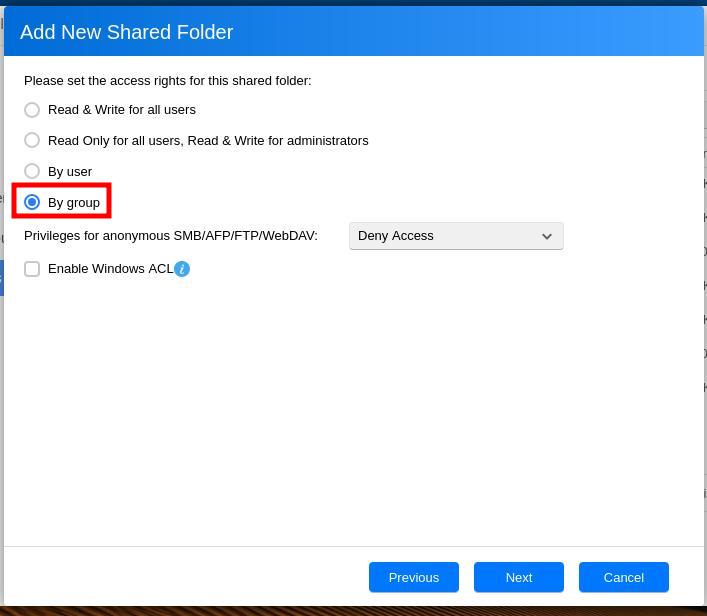
Select By group, then click Next:
Ensure that the permissions are set to only allow yourself, and administrators, to read/write in the folder. If using SSH to edit the configuration, you can deny all access. Then click Next:
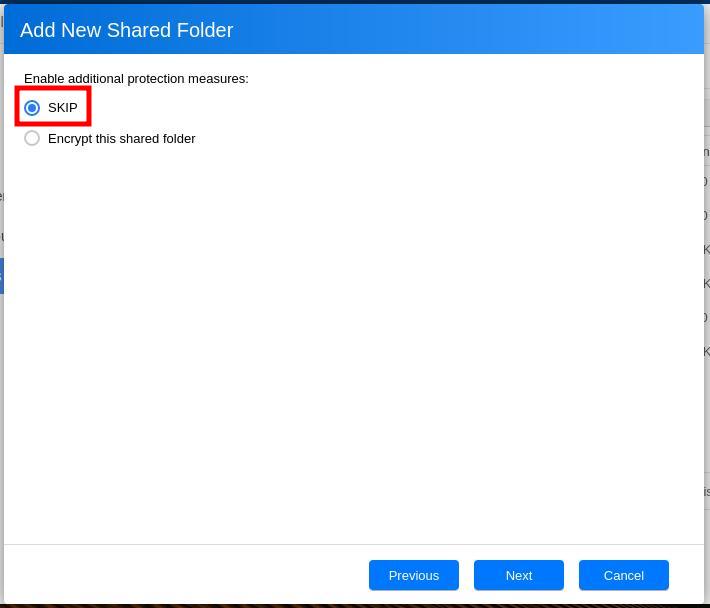
(optional) Select Encrypt this shared folder if available and wish to do so. Then, click Next.
Warning
Encrypting has caveats. For example, it is not possible to mount an encrypted shared folder via NFS.
Accessing the shared folder is required unless you have SSH root access and are comfortable with it, including transferring files.
Review the creation parameters, then click Next
Access
Ensure you have write access to the Configuration shared folder. This access can be configured with any of the following. Please refer to the specific sections of Asustor Online Help for any of these methods.
Method |
Notes |
|---|---|
SMB |
Preferred method for Window users. |
AFB |
Preferred method for Apple users. |
NFS |
Preferred method for Linux users. |
FTP |
Not recommended. |
SSH (Terminal) |
Preferred method for all users who do not wish to use another method and who are comfortable with SSH. |
SFTP |
Not recommended. |
Asustor File Explorer |
No edit in place, requires download then upload of files. |
See also