Apache Web Server
With an Asustor NAS, it is possible to install an Apache web server to serve official applications.
Unfortunately, this Apache implementation is limited by the minimal functionality exposed through its user interface.
A separate Apache implementation will be installed to handle proxy requests on the default HTTP (80) and HTTPS (443) ports. For this reason, ports 80 and 443 must be freed.
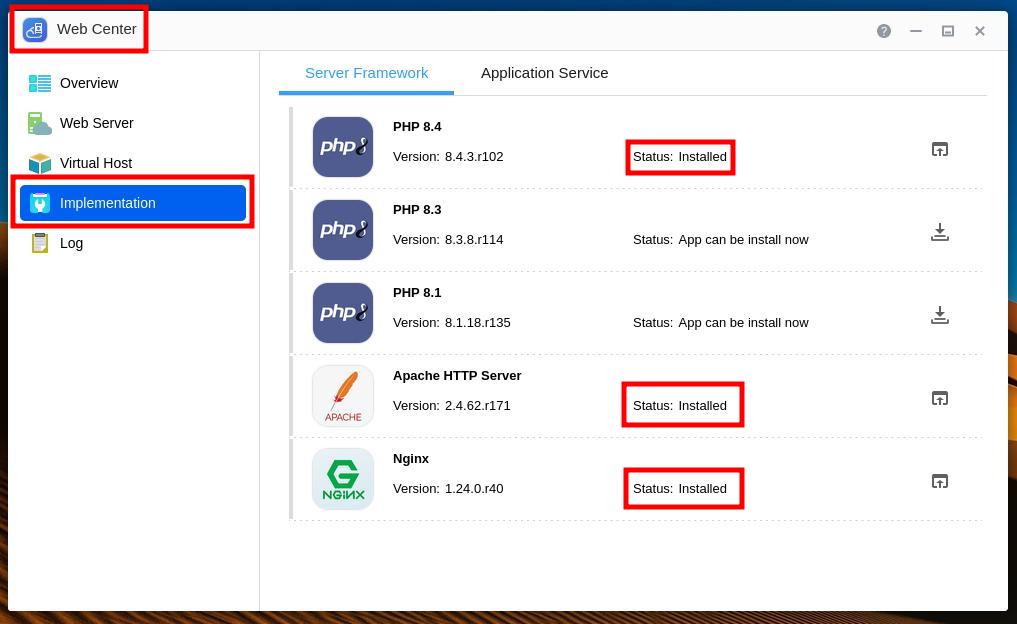
In Web Center, Implementation, install Apache HTTP Server, Nginx and PHP 8.4.
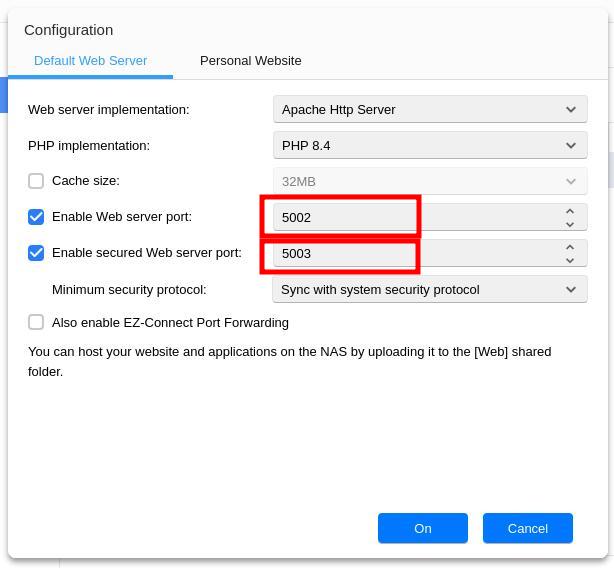
In Web Center, Web Server, configure Default Web Server, set the ports to 5002 and 5003, then, optionally, disable the ports.
Optionally, you can now uninstall the PHP 8.4 if you don’t want to use an official AppCentral website application.