LightHTTPd Web Server
lighthttpd is the system web server that serves the NAS administration interface.
The Apache package installed later in this tutorial requires ports 80 (HTTP) and 443 (HTTPS) to be free. This step moves lighthttpd off those ports.
Note
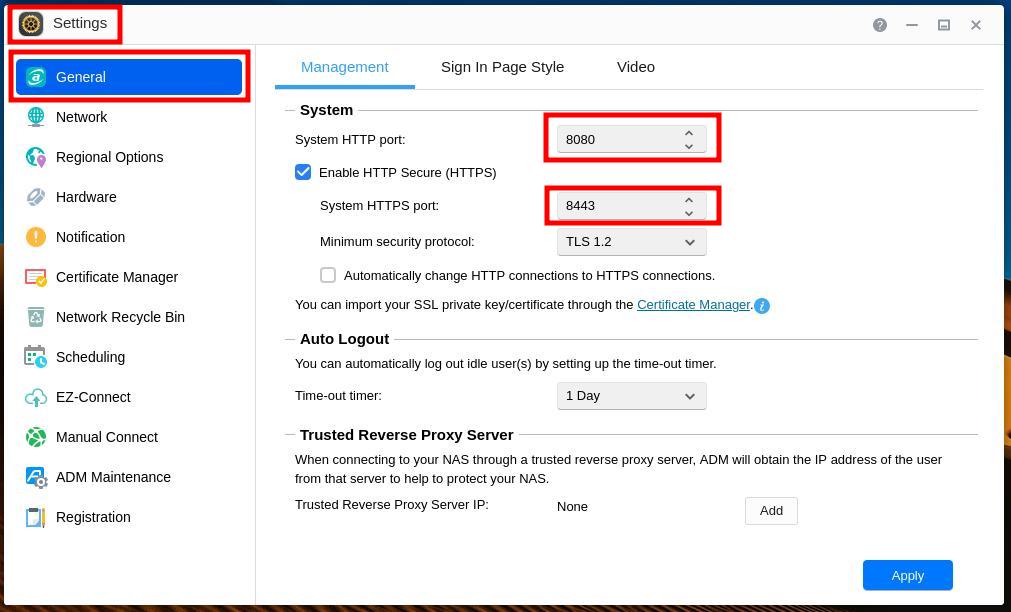
This tutorial assumes the ports are changed to 8000 and 8001, though any available port numbers will work.
In Settings, General, Management, set the HTTP port to 8000 and the HTTPS port to 8001.
Warning
After saving, the NAS administration interface will only be reachable on the new ports. For example: https://nas.example.com:8001/